- To join your video call, login to your account via Suremploy Connect, go to your bookings page and click the “Join Call” button next to your scheduled booking time. Please view the example below:

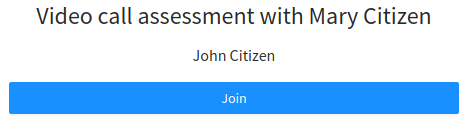
- Next, on the “Assessment Video Call” page, click “Join”. This will automatically take you to a virtual waiting room where the practitioner will join you shortly. You will be able to join the call 5 minutes prior to your assessment time.
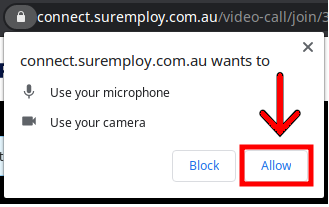
- When joining the video call, you will be asked to allow connect.suremploy.com.au to use your microphone and camera. You MUST click “Allow” for your microphone and camera to work during the video call assessment.
- Our practitioner will join you in the video call to begin the assessment. Please note that our practitioner may have appointments before yours so they may be delayed for a few minutes.
- If you are disconnected for any reason during the call, you must rejoin the video call by completing steps 1 & 2.
- If you have any technical issues during your video call, our practitioner will automatically switch the assessment to an alternative video platform.
- When your call is complete, you can leave the call by using the red phone button otherwise the call will be ended by the practitioner.
